 Dineator Rush
Survive Friday night. The till, the tables, bookings and the kitchen screen work as one, even when the Wi-Fi does not.
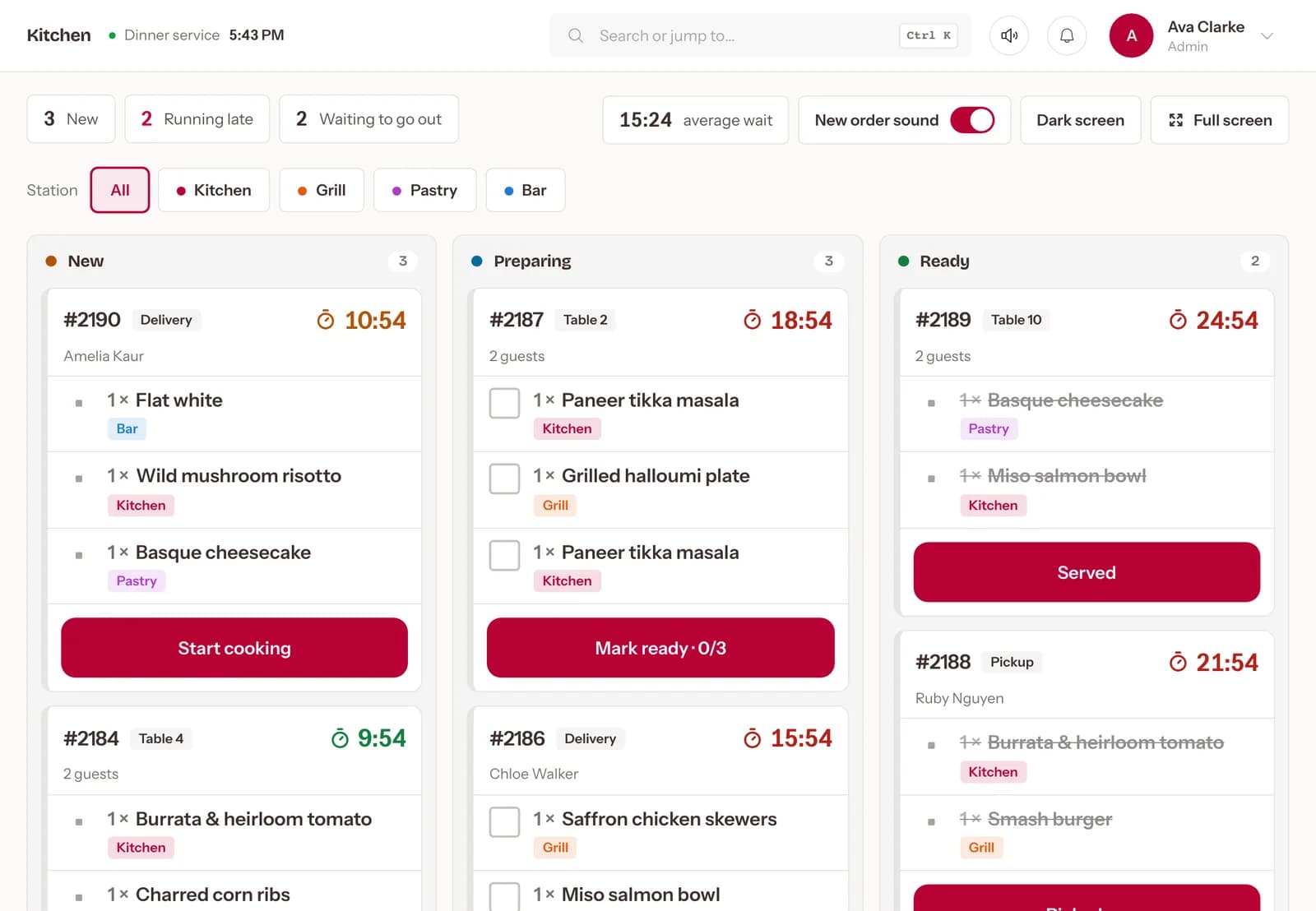
- 1× Paneer tikka masalaKitchen
- 1× Grilled halloumi plateGrill
- 1× Garlic flatbreadKitchen
What changes. One problem at a time, with Dineator Rush.
TodayPaper tickets get lost and orders are shouted across the pass.
With RushEvery order, from the website, QR, the till or Uber Eats, lands on the kitchen display by station and moves from new to ready.
TodayBookings in a notebook lead to double-booked tables.
With RushReservations and the waitlist sit on a live floor plan, so the host sees which tables are free, seated or booked.
TodayThe Wi-Fi drops in the middle of service.
With RushThe till keeps taking orders offline and sends them when the connection is back.
Everything in it. What Dineator Rush does for your restaurant, every day.
POS and running tables
Open a table, keep adding rounds, split the bill and settle once at the end.
Kitchen display by station
Grill, fryer, bar and pass each see only their tickets, timed from the moment they land.
Live floor plan
Free, seated, booked and waiting for the bill, at a glance.
Reservations and waitlist
Guests book online and manage their booking from a link, with optional no-show fees.
Table requests
Calls for a server, water or the bill ring on staff devices until someone answers.
Uber Eats on the same screen
Marketplace orders arrive next to your own, with no second tablet.
Works offline
Keep taking orders when the internet drops; they sync when it is back.
Kitchen tickets that print
The staff app prints tickets to your kitchen printers as orders come in.
Works with what you already use
 Orders into your kitchen display; menu prices and availability sync back.
 Card payments into your own account.
 Card payments, connected by signing in to Square.
 Card payments into your own account.


